> ## Documentation Index
> Fetch the complete documentation index at: https://docs.devv.ai/llms.txt
> Use this file to discover all available pages before exploring further.
# Getting started
> Start building your first AI app with Devv
## Create your first project
Simply input your project description into this box, and let Devv start working!
Notice:
1. You can also:
* upload images
* select Devv integrations here.
2. There are lots of [Devv Integrations](https://docs.devv.ai/integrations/introduction.md) here. Don't worry about them. You are not required to select any of them here. Indeed, Devv agent will help you select the integrations you need automatically, based on your project features.

> [accordion] Use Devv Integrations
>
> Devv Integration is a key point that differs Devv from other products. We
> build it to help you ship your product faster, and easier. You can read
> the [Integration Docs](https://docs.devv.ai/integrations/introduction.md) here to check for more
> details about them.
## Editing your projects
> [accordion] Add more features to your app
>
> Use the followup input box to add more features and iterate your project,
> you can:
>
>
> - Click `suggested next steps` generated by AI after each
> - Type your issue manually.
> - Upload images.
> - Select specific integration you wanna add to your project.
>
>
> 
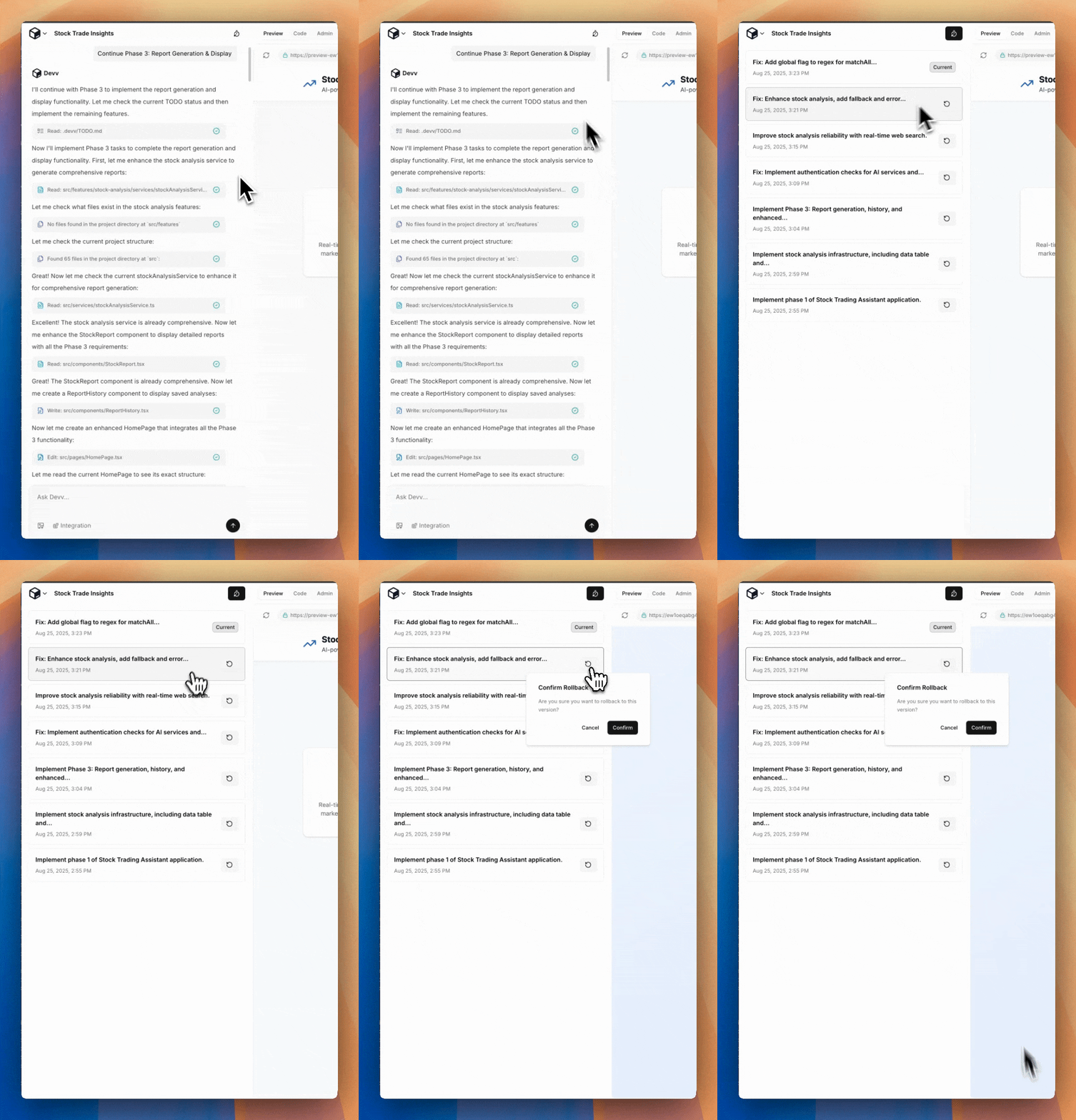
> [accordion] Revert a Change
>
> Version control is an really important feature while building your apps.
> You will rarely use it. **But when AI happens to write something totally
> wrong and destroy your existing project, the best practice is revert it
> manually instead of ask AI to fix it.**
>
> 
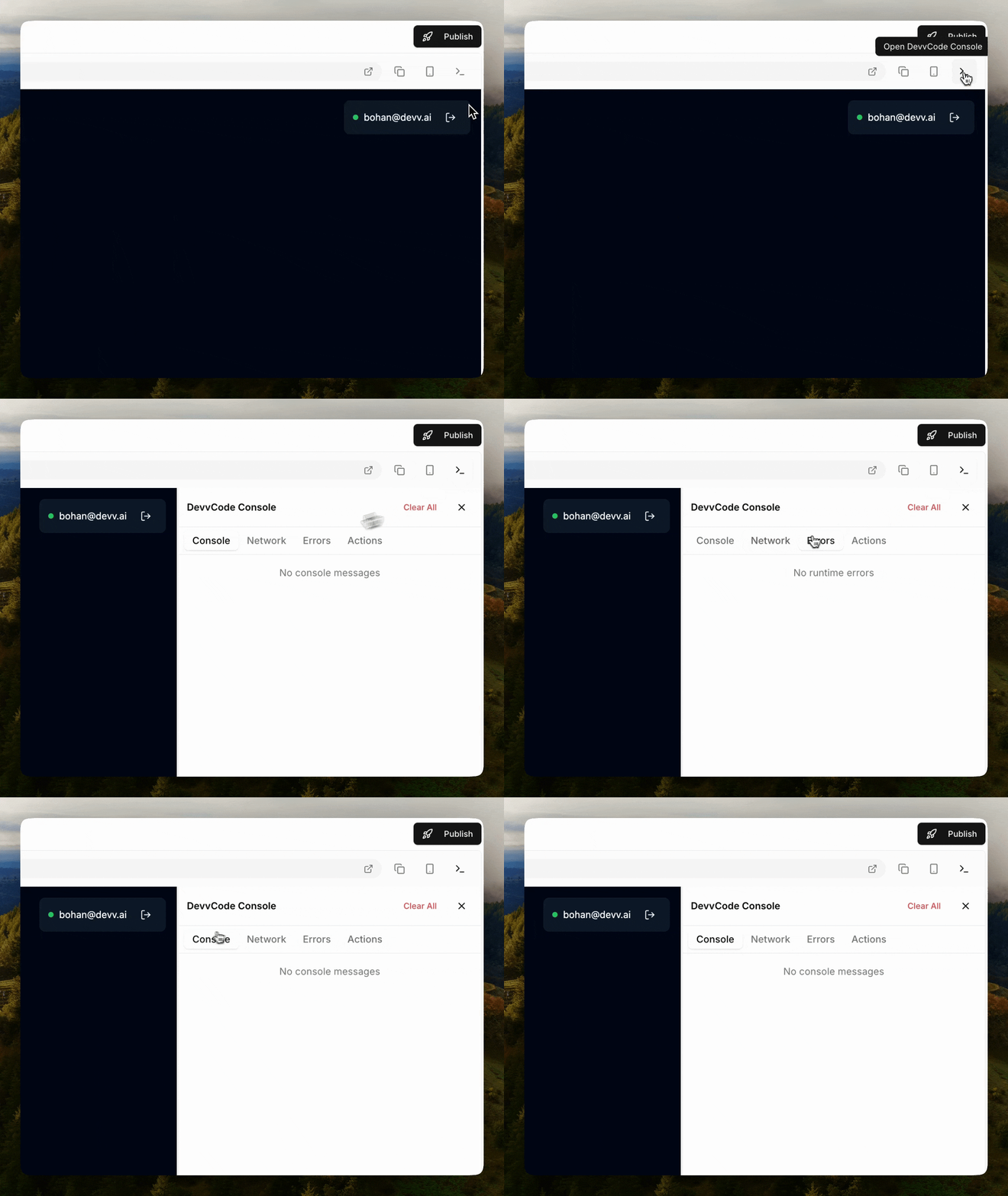
> [accordion] Devv Developer Console
>
> To help you debug your project, Devv provides you with a developer console, where you can catch necessary information, including printed messages, network requests, errors and user actions.
>
> 
## Use the Admin Dashboard
Devv provides an `Admin Dashboard` for project owners. Here you can do multiply actions towards your project.

> [accordion] Change App Visibility
>
> `App Visibility Rule` works after adding Authentication (i.e. User login
> system) to your project. There are three different options here. You can
> change it anytime by click it in your admin dashboard.
>
> 
> [accordion] User Management
>
> As the project owner, you are able to check and mange your project users.
>
> Select the `User` tab in your Admin dashboard, you can check all users who have registered to
> your website. Plus, you are able to invite or remove users manually here.
>
> 
> [accordion] Data Management
>
> Select `Tables` tab in your admin dashboard, here you can:
>
> 1. Check all database tables, `view` all data and `edit` or `delete` any one them.
> 2. Check your `table schema`.
> 3. Change the `read and write permission` of each table.
>
> Notice: We recommend to let Devv itself mange your database settings. **In most cases, you don't need to change any settings manually.**
>
>
## Deploy and Publish your project
> [accordion] Publish your project
>
> In Devv, You can publish your project by `1-single-click`. Just use the
> publish button on top right, and publish a new version when you make
> modifications. You will get a public domain for your project once it
> finished.
>
> 
> [accordion] Add custom domain
>
> By default, you will get a random domain from Devv after publishing your
> project. But yeah, a meaningful domain would be better for your users to
> read and remember. Use `Domain` tab in your Admin panel to add custom
> domain to your project.
>
> 
This documentation is built and hosted on [Mintlify](https://mintlify.com), a developer documentation platform.